
Every button & control
The complete GTA VI controller layout for PS5 and Xbox: 207 actions on foot, in cars, boats, planes, combat, stealth, phone and menus.
207 controlsUpdated 2026-11-20
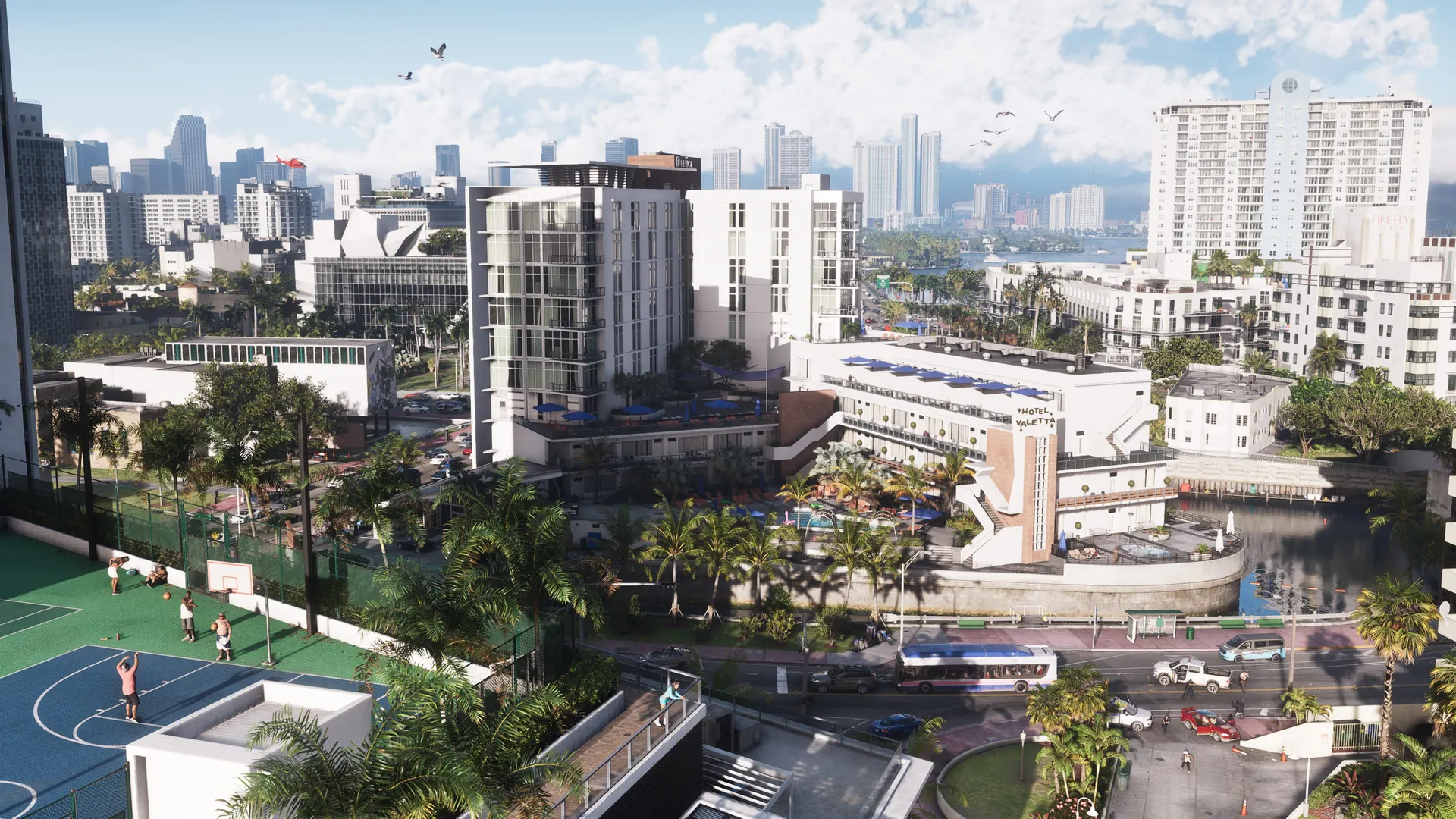
Image © Rockstar Games
Good to know
- Sprint is now a left-stick click (L3 / LS) instead of mashing Cross / A. If your thumb rebels, switch to the Classic scheme.
- The handbrake moved to Cross / A, which frees R1 / RB for shooting while you drive.
- R1 / RB shoots in any vehicle, on a bike and under a parachute; R2 / RT shoots only on foot and in water.
- Hold D-pad Down for quick navigation; it is faster than opening the full map.
- Focus (L3 + R3) slows time and marks lethal spots in red and incapacitating spots in yellow. Rebind it to a single button in Accessibility if the stick clicks feel awkward.
- Struggling with quick-time inputs? Tap Assist can turn repeated presses into a single hold.
- Photo Studio sits in the pause menu, not on a dedicated button.
| Action | PS5 | Xbox | Notes |
|---|---|---|---|
| Open map | TOUCHPAD | ⧉ | One guide lists Menu for the map on Xbox; the layout tables from GTABase and Insider Gaming both use View. The View button can be set to Map or… |
| Pause menu | OPTIONS | ☰ | Shacknews' table labels this 'Select'; the DualSense has no Select button, so Options is the working assumption. |
| Look / turn camera | Right stick | RS(move) | |
| Look behind | R3(hold) | RS(hold) | |
| Show objective / minimap | ↓ | ↓ | |
| Quick navigation (pick a destination) | ↓(hold) | ↓(hold) | Opens a list of nearby destinations. |
| Partner menu | →(hold) | →(hold) | |
| Switch between Jason and Lucia | →(hold) + R1 | →(hold) + RB | Only when the story allows a switch. |
| Radio controls | ← | ← | Tap; holding opens the full radio menu. |
| Radio menu | ←(hold) | ←(hold) | |
| Holster weapon | L1 | LB | |
| Loadout (weapon wheel) | L1(hold) | LB(hold) | |
| Focus (slow-motion threat view) | L3 + R3 | LS + RS | Can be moved to the View button under Accessibility > Focus. |
| Inspect surroundings | L2 + R3 | LT + RS | |
| Shoot (on foot, swimming) | R2 | RT | |
| Shoot (vehicles, aircraft, bicycles, parachute) | R1 | RB | Moving the handbrake off R1 / RB is what frees this button for drive-by fire. |
| Melee | □ | X | |
| Move | Left stick | LS(move) | Default walking pace (walk, faster walk or jog) can be chosen in the options. |
| Run / sprint | L3(click) | LS(click) | New in GTA VI: no more tapping Cross / A. The Classic scheme puts Run back on Cross / A. |
| Jump / climb | ✕ | A | |
| Slide over a car hood | ✕ | A | |
| Crouch | ○ | B | You can keep moving and strafing while crouched. |
| Rest | ○(hold) | B(hold) | |
| Interact (doors, items, vehicles) | △ | Y | |
| Interact with people | L2(hold) | LT(hold) | Shared with Aim: holding L2 / LT near a person focuses on them. |
| Whistle | L2(hold) | LT(hold) | |
| Check engine (at a vehicle) | L1 | LB | |
| Push a vehicle | Left stick | LS | |
| Shove a vehicle | □(hold) | X(hold) | |
| Clear out the trunk of an unowned vehicle | □(hold) | X(hold) | |
| Throw an object | R2(press or hold) | RT(press or hold) | |
| Pick up or swap a weapon on the ground | L1 | LB | From a pre-release guide; PS5 only, Xbox inferred from the one-to-one layout. |
| Aim | L2(hold) | LT(hold) | Can be switched to press (toggle) under Accessibility > Aiming. |
| Shoot | R2 | RT | |
| Zoom / show throw path | R3(click) | RS(click) | |
| Zoom scope in | ↑ | ↑ | Shacknews lists this as a hold. |
| Zoom scope out | ↓ | ↓ | Shacknews lists this as a hold. |
| Switch shoulder | ← | ← | |
| Detonate explosives | → | → | |
| Quick swap weapon | △ | Y | |
| Quick throw | R1(hold) | RB(hold) | |
| Crouch while aiming | ○ | B | |
| Holster weapon | L1 | LB | |
| Aim a grenade / explosive | L2(hold) | LT(hold) | |
| Throw a grenade / explosive | R2 | RT | |
| Pull the pin and cook a grenade | R2(hold) | RT(hold) | |
| Open loadout / weapon wheel | L1(hold) | LB(hold) | Pick a slot with the right stick. |
| Switch between Weapons and Items tabs | R1(while the wheel is open) | RB(while the wheel is open) | Xbox button inferred; the guide names R1 only. |
| Use health pills | □(wheel open) | X(wheel open) | Pre-release guide; Xbox inferred. |
| Use adrenaline / energy shot | △(wheel open) | Y(wheel open) | Pre-release guide; Xbox inferred. |
| Select vehicle weapon | L1(hold, in vehicle) | LB(hold, in vehicle) | |
| Lock-on / strafe | L2(hold) | LT(hold) | |
| Punch / kick | □ | X | |
| Heavy attack | □(hold) | X(hold) | |
| Grapple | R2(hold) | RT(hold) | |
| Follow-up attack while grappling | □ | X | |
| Put a grappled enemy in a vulnerable position | □(hold) | X(hold) | |
| Block | ✕(hold) | A(hold) | |
| Counter / dodge (timed) | ✕ | A | |
| Break free from a grapple | ○(tap at the prompt) | B(tap at the prompt) | Pre-release guide; Xbox inferred. |
| Take / leave cover | R1 | RB | |
| Move around a corner in cover | ✕ | A | |
| Grab an enemy from behind | R2(hold) | RT(hold) | |
| Stealth takedown (while grabbing) | □(tap) | X(tap) | |
| Focus on a person or animal | L2(hold) | LT(hold) | |
| Friendly / careful response | △ | Y | Context verb shown on screen. Pre-release guide; Xbox inferred. |
| Forceful / dismissive response | ○ | B | Context verb shown on screen. Pre-release guide; Xbox inferred. |
| Consume or examine (drink, eat, smoke, study) | R1 | RB | Circle / B puts the item down. Pre-release guide; Xbox inferred. |
| Throw cash | L2 | LT | Pre-release guide; Xbox inferred. |
| Sustained action (hold hands, shoot a basketball) | R2(hold) | RT(hold) | Pre-release guide; Xbox inferred. |
| Hurry your partner along | ○ | B | Pre-release guide; Xbox inferred. |
| Pet / scold a dog | Triangle / Circle | Y / B | Focus on the dog first with L2 / LT. Pre-release guide; Xbox inferred. |
| Quiet car entry (slim jim) | △ | Y | Pre-release guide; Xbox inferred. |
| Loud car entry (smash window) | ○ | B | Pre-release guide; Xbox inferred. |
| Lockpick | Right stick (rotate) | RS(rotate) | Pre-release guide; Xbox inferred. |
| Bench press rep | L2 and R2 (alternate) | LT and RT (alternate) | Pre-release guide; Xbox inferred. |
| Steer | Left stick | LS | |
| Accelerate | R2 | RT | |
| Brake / reverse | L2 | LT | |
| Handbrake | ✕ | A | Moved from R1 / RB in GTA V. |
| Horn / nitrous | L3(click) | LS(click) | Nitrous can be set to Hold or Press under Accessibility. |
| Headlights | ○ | B | |
| Duck (hide from police) | ○(hold) | B(hold) | |
| Shoot / drive-by | R1 | RB | |
| Draw sidearm | L1 | LB | |
| Loadout / select vehicle weapon | L1(hold) | LB(hold) | |
| Look behind | R3(hold) | RS(hold) | |
| Indicate left | ← | ← | |
| Indicate right | → | → | |
| Vehicle menu (choose with right stick) | ←(hold) | ←(hold) | |
| Vehicle info on the HUD / objective | ↓ | ↓ | |
| Phone | ↑ | ↑ | |
| Interact | ↑(hold) | ↑(hold) | |
| Hit with the door / kick bikes and scooters | □ | X | |
| Middle finger | R1 | RB | Listed by GTABase; context-dependent, since R1 / RB also shoots. |
| Yell at pedestrians and drivers | R3(click) | RS(click) | |
| Exit vehicle | △ | Y | |
| Stop, then exit | △(hold) | Y(hold) | |
| Jump out / leave the engine running | △(double tap) | Y(double tap) | |
| Steer / lean | Left stick | LS | Motorcycles share the Land / Water Vehicles layout. |
| Accelerate | R2 | RT | |
| Brake / reverse | L2 | LT | |
| Handbrake | ✕ | A | |
| Horn / nitrous | L3(click) | LS(click) | |
| Shoot / drive-by | R1 | RB | |
| Melee / kick | □ | X | |
| Dismount | △ | Y | |
| Steer | Left stick | LS | Boats share the Land / Water Vehicles layout. |
| Throttle | R2 | RT | |
| Brake / reverse | L2 | LT | |
| Handbrake | ✕ | A | |
| Horn / nitrous | L3(click) | LS(click) | |
| Shoot | R1 | RB | |
| Vehicle menu | ←(hold) | ←(hold) | |
| Exit | △ | Y | |
| Pitch / roll | Left stick | LS | |
| Throttle up | R2 | RT | |
| Throttle down | L2 | LT | |
| Yaw left | □ | X | |
| Yaw right | ○ | B | |
| Landing gear | L3(click) | LS(click) | |
| Shoot (armed aircraft) | R1 | RB | |
| Select weapon (armed aircraft) | L1(hold) | LB(hold) | |
| Radio controls | ← | ← | |
| Vehicle menu | ←(hold) | ←(hold) | |
| Phone | ↑ | ↑ | |
| Look behind | R3(hold) | RS(hold) | |
| Exit | △ | Y | |
| Pitch / roll | Left stick | LS | |
| Gain altitude | R2 | RT | |
| Descend | L2 | LT | |
| Turn left | □ | X | |
| Turn right | ○ | B | |
| Shoot (armed helicopters) | R1 | RB | |
| Select weapon | L1(hold) | LB(hold) | |
| Exit | △ | Y | |
| Pedal / move forward | R2 | RT | |
| Brake / reverse | L2 | LT | |
| Turn / lean | Left stick | LS | |
| Sprint (pedal harder) | ✕ | A | |
| Bunnyhop | ○ | B | |
| Bell | L3(click) | LS(click) | |
| Kick / melee | □ | X | |
| Shoot | R1 | RB | |
| Interact | ↑(hold) | ↑(hold) | |
| Dismount | △ | Y | |
| Move | Left stick | LS | |
| Swim faster | L3(press or hold) | LS(press or hold) | |
| Dive / dive deeper | R1(hold) | RB(hold) | |
| Surface | ✕ | A | |
| Aim / strafe underwater | L2(hold) | LT(hold) | |
| Shoot | R2 | RT | |
| Melee | □ | X | |
| Dive into water | ✕ | A | |
| Dive in with a trick (flip) | ✕(hold) | A(hold) | Players control speed and flip direction on dives. |
| Open parachute | ✕ | A | |
| Steer | Left stick | LS | |
| Brake left | L2 | LT | |
| Brake right | R2 | RT | |
| Shoot | R1 | RB | |
| Detach parachute | △ | Y | |
| WAiNK app | ↑(hold) | ↑(hold) | |
| Open phone | ↑ | ↑ | |
| Open the WAiNK app directly | ↑(hold) | ↑(hold) | On foot and on the parachute; in vehicles the hold is Interact. |
| Scan a vehicle (WAiNK open) | R1(hold) | RB(hold) | |
| Camera app | D-pad Up, then the third icon on the first row | D-pad Up, then the third icon on the first row | Switch to the front camera for selfies. |
| Open the full map | TOUCHPAD | ⧉ | Beebom lists Menu for Xbox; the full layout tables use View. |
| Set destination / waypoint on the map | ✕ | A | Custom waypoints show in cyan, story waypoints in pink (guide report). |
| Quick navigation list | ↓(hold) | ↓(hold) | |
| Show objective / minimap | ↓ | ↓ | |
| Open Photo Studio | Options, then Photo Studio | Menu, then Photo Studio | Photo mode is called Photo Studio and lives in the pause menu. |
| Save a photo | Select 'Save Photo' in Photo Studio | Select 'Save Photo' in Photo Studio | You can also hide the UI and use the console's own capture. |
| Console screenshot | Create | Share | System capture button, not a game binding. |
| Phone camera / selfie | D-pad Up > Camera app | D-pad Up > Camera app | |
| Bind the View button to the camera | n/a | ⧉(set 'View Button' to Camera) | Xbox option listed in controller settings. |
| Pause menu | OPTIONS | ☰ | |
| Confirm / select (e.g. Set Destination on the map) | ✕ | A | |
| Default | Run on L3, Jump on Cross, Melee on Square, Crouch on Circle | Run on LS, Jump on A, Melee on X, Crouch on B | The layout shown in every section above. |
| Classic: Run | ✕ | A | Brings back the old run button. |
| Classic: Crouch | L3 | LS(click) | |
| Classic: Jump / climb | □ | X | |
| Classic: Melee | ○ | B | |
| Classic: Block / dodge | □ | X | |
| Classic: Headlights / duck | □ | X | In vehicles; Circle / B becomes melee. |
| Classic: Bicycle | R2 front brake, L2 rear brake / reverse, Cross pedal / sprint | RT front brake, LT rear brake / reverse, A pedal / sprint | |
| Classic: Swimming | Cross swim faster, Square surface | A swim faster, X surface | |
| Left-Handed | Swaps L1/R1, L2/R2, L3/R3 and the two sticks | Swaps LB/RB, LT/RT, LS/RS and the two sticks | Aim and shoot, cover and holster, move and look all trade sides. |
| Targeting | Lock-On / Partial / Free Aim | Lock-On / Partial / Free Aim | Free aim is the default per preview reports. |
| Aim assist strength | 0-4 | 0-4 (default 4) | Default from the Xbox listing. |
| Aim response curve | Standard / Linear / Precision / Aggressive | Standard / Linear / Precision / Aggressive | |
| Shooting assist, drive-by assist, quick draw | On / Off | On / Off | |
| Look and aim sensitivity | Slider | Slider (vertical look 0-14, default 7) | Separate horizontal and vertical aim sensitivity plus look and aim acceleration. |
| Inverted controls | Look, movement, 3D map rotation, aircraft movement | Look, movement, 3D map rotation, aircraft movement | Look can be inverted vertically, horizontally or both. |
| Vibration and haptics strength | Slider (DualSense features in a separate menu) | 0-10 (default 10) | |
| Stick deadzones | Left and right | 0-10 each (default 5) | |
| Tap assist (replaces repeated tapping) | Off / 2x / 3x / 4x / Hold | Off / 2x / 3x / 4x / Hold | |
| Hold delay and hold assist | Hold delay 0-250%; hold assist Off-4x | Hold delay 0-250%; hold assist Off-4x | |
| Aiming | Hold / Press | Hold / Press | Press makes aim a toggle. |
| Focus binding | L3 + R3, or the alternative button | LS + RS, or View | |
| Interact and Nitrous | Hold / Press | Hold / Press | |
| D-pad actions and loadout | Hold / Hold & Release | Hold / Hold & Release | |
| Fishing input | Rotate / Hold / Pull | Rotate / Hold / Pull | |
| Simplified mini-games | Off / On | Off / On (default Off) | |
| Auto drive | Restricted / Unrestricted | Restricted / Unrestricted | |
| Accessible combat, reduced vehicle damage | Off / On | Off / On | Both make the game much easier. |
| Subtitles and captions | Subtitles, closed captions, size, speaker names, background | Subtitles, closed captions, size, speaker names, background | |
| Camera comfort | Weapon sway, camera shake, camera bob, phone display | Weapon sway, camera shake, camera bob, phone display |
Compiled from published launch guides and official Rockstar material, cross-checked where possible; each control page lists its own sources. Main sources: gtabase.com (143), insider-gaming.com (122), shacknews.com (97), playday.one (26), allthings.how (20), gtaboom.com (10), beebom.com (9), dexerto.com (3), support.rockstargames.com (3). Missing something? Tell us.
Gear that helps here
Full GTA 6 setup →DualSense wireless controllerCheck price on Amazon →Xbox wireless controllerCheck price on Amazon →Thumb grips for analog sticksCheck price on Amazon →
We may earn a small commission if you buy through these links, at no extra cost to you. It keeps the wiki free.